
Productivity Tools for Students are no longer just “nice extras.” For many global students, they are the difference between feeling constantly behind and finally feeling in control. If you have ever sat in front of your laptop, opened ten tabs and then wondered where your time went, you are not alone. In this guide, I want to show you how Productivity Tools for Students, especially modern tech and AI tools, can help you organise your life, protect your focus and make your study time actually count.
You do not need to be a tech expert to use these tools well. You just need a simple system, a bit of curiosity and the willingness to experiment. By the end of this article, you will understand what kinds of tools exist, how they fit together and how you can build a small, realistic setup that works for you as a student anywhere in the world.
What Do We Mean by Productivity Tools for Students?
When I say Productivity Tools for Students, I am talking about digital helpers that make it easier to manage your time, tasks, notes, focus and energy. These tools can be simple, like a to‑do list app, or more advanced, like an AI assistant that helps you summarise articles or generate practice questions. The point is not to collect as many apps as possible. The point is to use a few smart tools to support the way you already think and study.
For example, a task manager can help you remember deadlines and break big assignments into smaller, less scary steps. A note‑taking app can help you keep your class notes, screenshots, PDFs and ideas in one organised place instead of scattered across random folders. An AI tool can help you understand a difficult concept by explaining it in simpler language or by giving you different examples and perspectives.
Productivity Tools for Students should feel like a personal support system, not like extra homework. If a tool makes you more stressed or confused, it is probably not the right one for you, at least not right now. You are allowed to keep things simple.
Why Productivity Tools for Students Matter for Your Education and Career
The reason Productivity Tools for Students matter so much is that modern education expects you to manage a lot at the same time. You may have multiple courses, assignments, group projects, part‑time work, extracurricular activities and your personal life all competing for your attention. Trying to handle everything only in your head is exhausting and usually not very effective.
When you start using Productivity Tools for Students properly, you give your brain some relief. Instead of trying to remember every deadline and idea, you store them in a trusted system. This lets you focus on the actual work, like understanding your subjects, preparing for exams and creating good projects.
There is also a long‑term benefit. The same skills you learn while using Productivity Tools for Students are the skills you will need later in your career. Modern workplaces, whether in tech, business, research or creative fields, expect people to manage tasks, collaborate online, work with digital calendars and sometimes use AI to speed up their work. Every hour you spend learning to use these tools now is an investment in your future job readiness.
If you already have or plan to write a post about how productivity connects to career success, this is a good place to mention it. Here you can link to a post about how good habits in college prepare you for your first job.

The Core Types of Productivity Tools for Students
There are many apps out there, but most Productivity Tools for Students fall into a few clear categories. Understanding these categories helps you choose wisely instead of downloading everything you see on social media.
Digital To‑Do Lists and Task Managers
A digital to‑do list or task manager is the heart of most productivity systems. This is where you capture everything you need to do: reading assignments, project milestones, exam dates, personal errands and small reminders like emailing a professor. Tools like Todoist, Microsoft To Do or Google Tasks are simple, cross‑platform and student‑friendly. You can create tasks, add due dates, group tasks by course or project and check them off when they are done.
Using these kinds of Productivity Tools for Students means you no longer rely on last‑minute memory. Instead, you train yourself to quickly record new tasks as soon as you hear or think of them. Over time, this becomes a habit that makes you feel much calmer.
Note‑Taking Apps and Digital Second Brains
The next category of Productivity Tools for Students is note‑taking apps. Think of these as digital notebooks or even “second brains” where you store and organise your knowledge. Apps like Microsoft OneNote, Notion, Evernote or Obsidian let you type notes, paste screenshots, embed PDFs, link ideas and search everything easily.
Imagine having all your lecture notes, reading summaries, ideas for essays and even internship research in one searchable place. Instead of flipping through messy physical notebooks or trying to remember which folder you saved something in, you just type a keyword and the note appears. For global students who move between devices and sometimes countries, cloud‑based note‑taking is especially powerful.
You can also add a personal layer. Some students like to keep a simple “daily note” where they write what they studied, what they are stuck on and what they want to do tomorrow. This turns a note‑taking app into a gentle reflection tool as well.
Calendar and Time‑Blocking Apps
Productivity Tools for Students are not complete without a calendar. A calendar shows you when things happen, not just what you need to do. This is important, because time is your real limit. Tools like Google Calendar, Apple Calendar or Outlook Calendar let you add classes, exams, work shifts and personal events.
One powerful method many students use is called time blocking. Instead of just having a long task list, you look at your day and decide when you will actually work on each important task. You might block one hour in the morning for reading, two hours in the afternoon for a big assignment and an evening slot for revision. By placing tasks into your calendar, you make a small promise to yourself, and your day feels much more intentional.
If you ever write a detailed guide only about time management, this is a natural point to reference it. Here you can link to a post about time‑blocking and weekly planning for students.
AI Study Assistants and Writing Helpers
In the last few years, AI has become one of the most interesting Productivity Tools for Students. Tools like ChatGPT, Claude, Google Gemini and others can help you in several ways when used responsibly. You can ask an AI to explain a difficult concept from your textbook in simpler language, to give you practice questions on a topic, to brainstorm essay ideas or to suggest an outline for a project.
Writing helpers like Grammarly or language‑assistant AIs can point out grammar mistakes, unclear sentences and tone issues. They can help you make your writing more professional, which is especially useful if you are studying in a second language.
However, there is an important rule here. Productivity Tools for Students that use AI should support your thinking, not replace it. If you ask AI to write entire essays and submit them as your own, you are not only breaking academic rules; you are also cheating yourself out of learning. Many universities now publish clear guidelines on AI use. For example, you can read about responsible AI use on sites like the Harvard University guidelines on generative AI. Always follow your own school’s policy first.
Focus and Distraction Blockers
Another big category of Productivity Tools for Students is focus apps. These help when you want to concentrate but your phone and laptop keep pulling you into social media, games or endless scrolling. Apps like Forest, Focus To‑Do, Freedom or Cold Turkey can block distracting sites and apps for a set period of time. Some use the Pomodoro Technique, where you work in focused sprints, often around twenty‑five minutes, followed by short breaks.
Using focus tools is not about being strict all the time. It is about creating short windows where your brain gets to go deep without interruptions. Even one or two focused sessions a day, supported by these tools, can dramatically change what you get done.
Cloud Storage and File Organisation
Cloud storage services like Google Drive, Dropbox or Microsoft OneDrive are also essential Productivity Tools for Students. They let you store documents, slides, images and videos online so you can access them from any device. This is especially helpful if you move between campus computers, your laptop and your phone.
A simple folder structure can save you from many last‑minute panics. You might have one folder per semester, with subfolders for each course, and inside those, separate spaces for assignments, lecture materials and readings. Once you set this up, you always know where to put new files, and you always know where to find them later.
Habit and Wellbeing Trackers
The final group of Productivity Tools for Students I want to mention is habit and wellbeing trackers. Apps like Habitica, Loop, Streaks or even basic health apps on your phone can help you monitor sleep, exercise, hydration and daily habits. At first, this might not sound like productivity, but your energy level and mood directly affect how well you study.
If a tracker shows you that you sleep poorly before big deadlines, you can plan better. If you notice that you feel more focused on days when you take a short walk or drink enough water, you can gradually build those habits. Productivity Tools for Students are not only about squeezing more work into your day. They are also about protecting your energy so you can do your best work without burning out.
Building a Simple Productivity System as a Student
Now that you have seen the main categories of Productivity Tools for Students, the next question is how to put them together. The good news is that you do not need one tool from every category. In fact, starting with too many apps often leads to confusion and digital clutter.
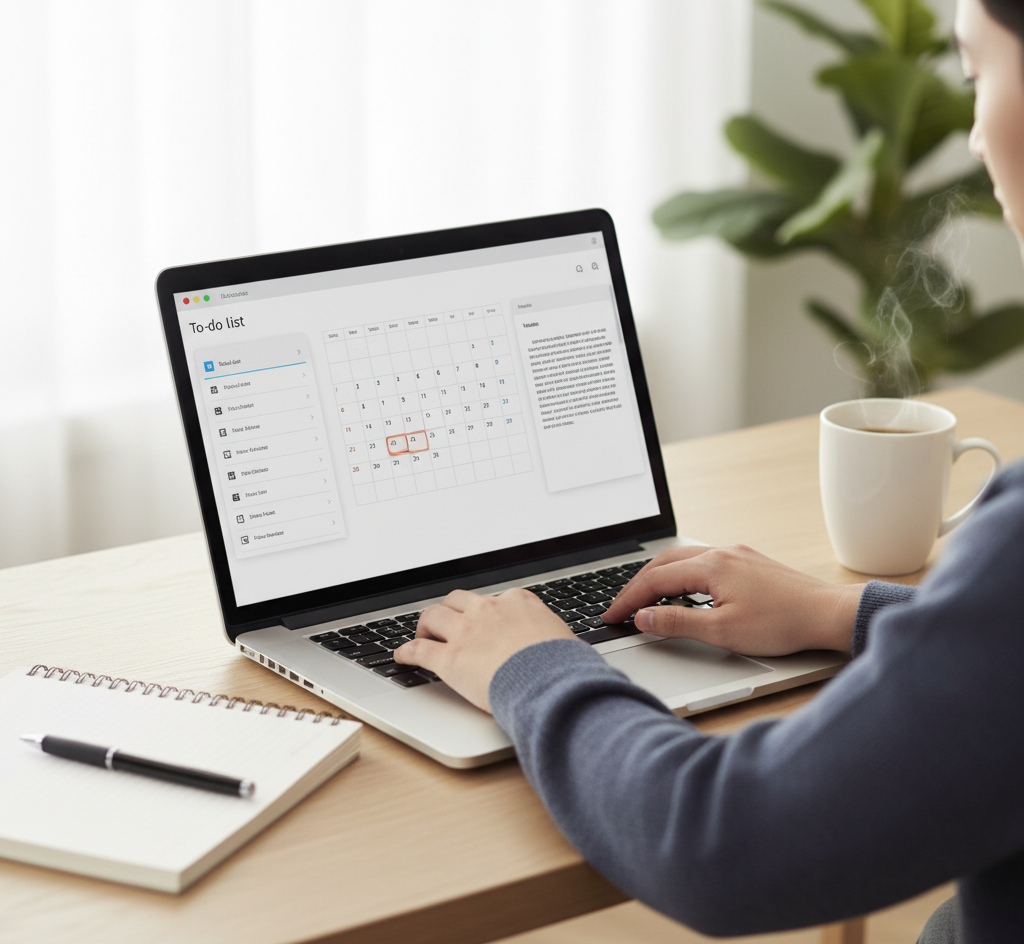
A simple starting system might look like this. You use one to‑do app to capture tasks and deadlines. You use one calendar to block time for classes and focused study sessions. You use one note‑taking app to store your course notes, project ideas and reading summaries. You add one AI assistant as a study partner to help explain topics, generate examples and give feedback on your writing. That is it.
Your daily routine might begin with a quick look at your calendar and to‑do list to decide what really matters today. During the day, you open your focus app when you want to study deeply without interruption. You take notes in your chosen app so you always know where to look later. In the evening or at the end of a study block, you take a few minutes to update your tasks and plan the next step.
If you ever feel the urge to install five more apps, pause and ask yourself whether your problem is really a lack of tools or whether it is a habit issue. Very often, the tools you already have are enough. Productivity Tools for Students work best when they are stable and familiar, not when they change every week.
Using AI Tools Wisely and Ethically
Because AI is such a powerful part of modern Productivity Tools for Students, it is worth spending a moment on how to use it well. Think of AI as a very fast, very flexible assistant who can generate ideas, explain things and check your work, but who does not fully understand your teacher’s expectations or your personal goals.
You can ask an AI to help you break down a large assignment into smaller steps, to quiz you on a chapter you just read, to suggest structures for reports or to show you multiple ways to solve a math problem. You can paste your own writing into tools like Grammarly or other writing assistants to catch grammar mistakes or awkward sentences before you submit an assignment.
What you should avoid is copying large chunks of AI‑generated content directly into your homework and pretending it is completely your own work. Many schools now have policies and even detection tools for this, and more importantly, you will not build the thinking skills you need. A safer approach is to let AI give you a first draft or a list of ideas, and then you rewrite, reorganise and fact‑check everything in your own words.
Some universities and organisations now publish guides on how students can work with AI. For example, you can explore resources on LinkedIn Learning or check your own university’s website for official advice. Always remember that your local rules are more important than any general suggestion.

Common Mistakes Students Make With Productivity Tools
Because Productivity Tools for Students can be exciting, it is easy to fall into some common traps. One mistake is constantly switching apps. You try one task manager for a week, then another, then a third, and every time you spend more time setting things up than actually doing the work. If you notice this happening, gently remind yourself that stability is part of productivity. It is usually better to choose a “good enough” app and use it consistently than to chase the perfect one.
Another mistake is turning productivity into a form of procrastination. You might spend hours designing the perfect colour scheme for your notes, building complex templates or watching endless videos about other people’s setups. There is nothing wrong with enjoying design and aesthetics, but at some point, you have to close the settings menu and open your textbook. Productivity Tools for Students are there to support real work, not replace it.
A third mistake is overloading your system. If your to‑do list has hundreds of tasks and you never review them, you will stop trusting it. If your notes are scattered without any organisation, you will avoid opening the app. The solution is not to give up but to simplify. Regularly archive old tasks, clean up your folders and give yourself permission to start fresh when things feel too messy.
Some students also trust AI too blindly. They assume that any answer from an AI tool must be correct. In reality, AI can be wrong, biased or out of date. Treat AI suggestions as starting points, not final truth. Always confirm important information with your textbook, your teacher or reliable external sources.
Finally, there is the mistake of ignoring your body and mind. No combination of Productivity Tools for Students can fix chronic sleep deprivation, zero breaks or constant stress. You still need rest, movement, social time and hobbies. Think of productivity as a way to protect your life, not as a way to fill every minute with work.
Final Thoughts: Making Productivity Tools for Students Work for You
At the end of the day, Productivity Tools for Students are only as good as the habits behind them. The goal is not to run the most advanced system. The goal is to feel more in control of your studies, to have more honest focus during work time and more genuine rest during free time.
Start small. Choose one tool for tasks, one for notes, one for your calendar and one AI assistant you feel comfortable with. Use them for a few weeks, notice what helps and what does not, and then adjust gently. As you grow as a student, your system will grow with you.
Most importantly, be kind to yourself. Productivity is not about becoming a machine. It is about building a life where your effort actually turns into results. With the right Productivity Tools for Students and a bit of patience, you can move from chaos to clarity and feel proud of the progress you make every day.
FAQs About Productivity Tools for Students
What are the most important Productivity Tools for Students to start with?
For most students, the best starting point is a simple task manager, a digital calendar, a note‑taking app and one AI assistant used for explanations and feedback. Once these basics feel comfortable, you can add more tools if you truly need them.
Do I need to pay for productivity apps, or are free tools enough?
Many excellent Productivity Tools for Students have free plans that are more than enough, especially when you are just starting. Paid versions usually add extra storage, advanced features or team options. You can always begin with free tools and upgrade later if you clearly feel the limits.
How can I stop getting distracted by my phone while studying?
One of the most effective strategies is to combine focus apps with simple rules. You can use distraction‑blocking tools on your phone or computer during study sessions, keep your phone out of reach and set clear start and end times for deep work. It also helps to decide what you will do during your breaks so you do not fall into endless scrolling.
Is it safe to use AI tools for homework and essays?
It can be safe and helpful if you follow your school’s rules and use AI as a support, not a replacement. You can ask AI to explain concepts, suggest structures, point out grammar mistakes or generate practice questions. You should avoid copying large AI‑generated texts directly into your assignments. At least one of your teachers or your university website will usually have specific advice about AI, and you should follow that above all.
How do Productivity Tools for Students help with future jobs?
The same skills you build while managing tasks, collaborating online, using calendars and working with AI are used in modern workplaces. When you learn to handle digital tools well as a student, you are also preparing yourself to adapt more easily to remote work, international teams and fast‑moving job environments.
If you want to go deeper, check out my Resume Tips for Freshers article, where I show you how to present your experience in a way that matches what employers look for.